



IVF SOLUTION BY LABOX · THIRD GENERATION
FBB-IVF
Laminar airflow workstation
for tissues and cells.
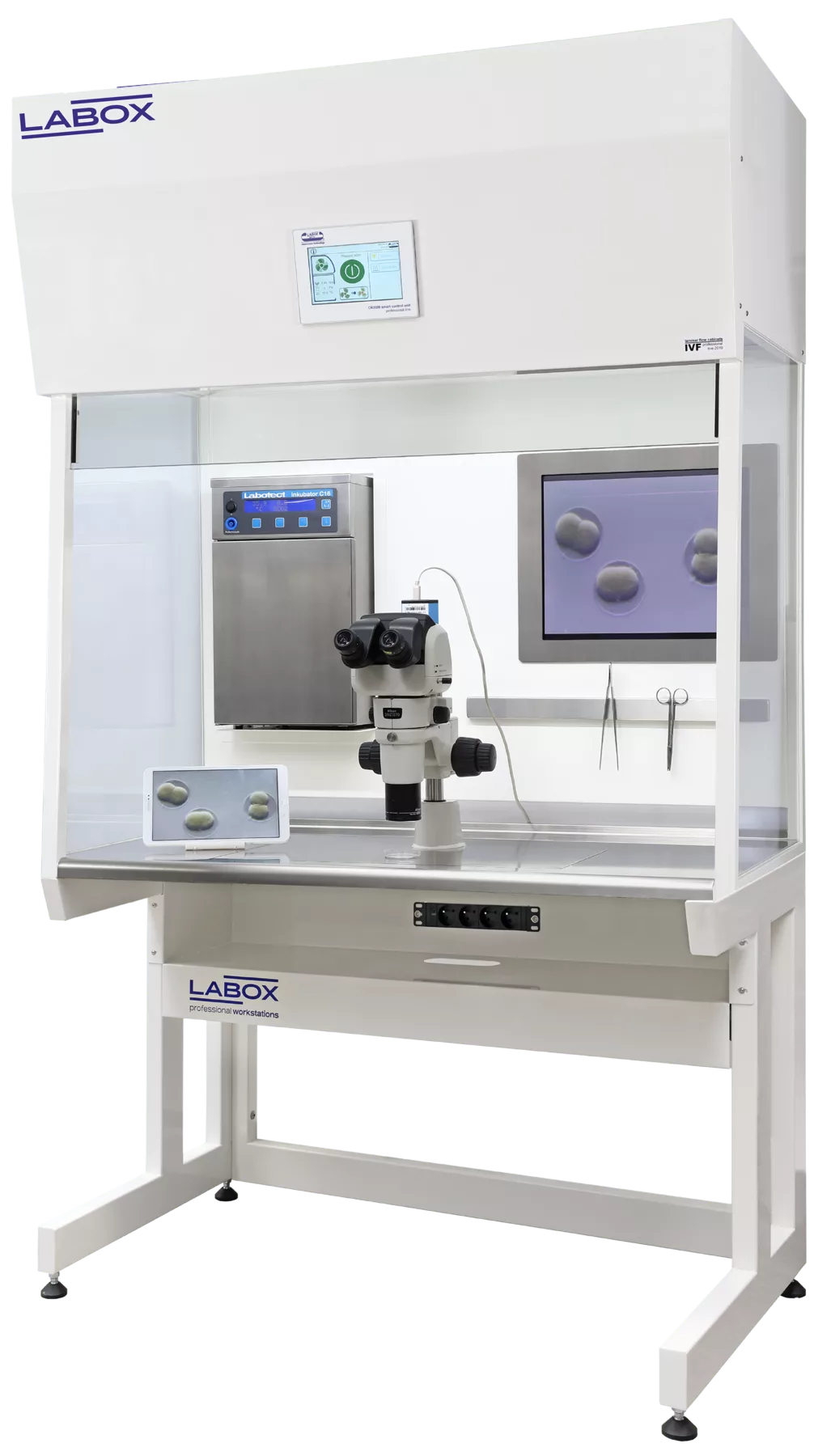
A laminar airflow workstation for IVF laboratories and tissue facilities, with configurable heating, microscope integration and intelligent SMART CR2000 control.
Equipment and qualification scope are tailored to your application.
Clean working environment
Vertical laminar airflow and H14 filtration protect the material being handled.
Temperature under control
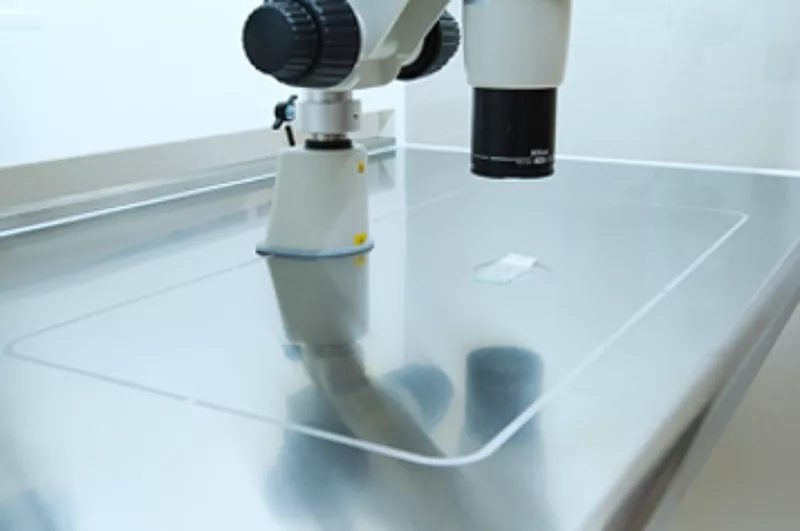
Heated work surface with an integrated heated glass insert for microscopy.
A calm environment for precision work
Low vibration, quiet operation and easy-to-clean surfaces.
Overview and support
Parameter monitoring, alarms and remote service support.
WORKING WITH TEMPERATURE-SENSITIVE MATERIAL
Heated work surface.
Integrated microscopy.
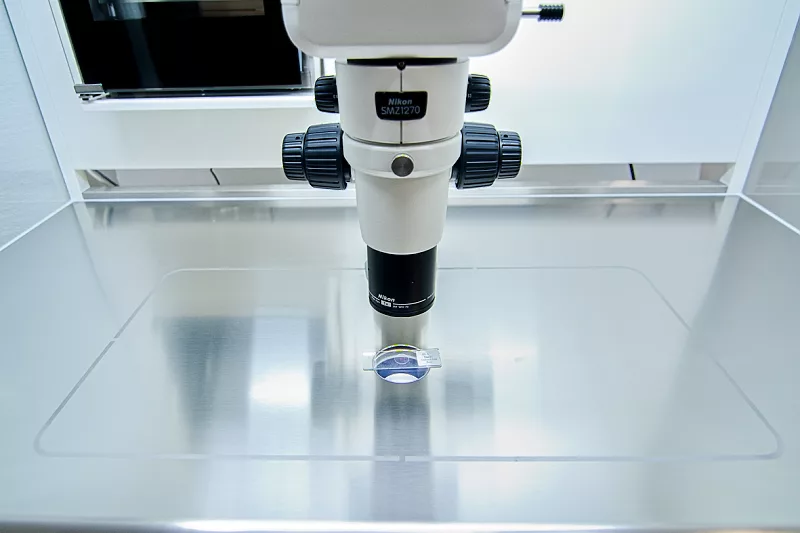
A 600 × 290 mm heated stainless-steel plate and heated quartz glass create stable conditions for handling sensitive biological material. The heating system delivers excellent temperature stability and uniformity and rapid warm-up to operating temperature. CR2000 provides continuous temperature measurement and control.
- Integration of NIKON or OLYMPUS microscopes according to the selected configuration.
- Retains the microscope manufacturer's original illumination.
- Local and remote operation, with temperature, timer and alarm settings.
TECHNOLOGY UNDER CONTROL
From overview to detail.
Explore technologies that support precision work, intuitive operation and long-term equipment support of your FBB-IVF.
- Overview
- CR2000
- LabGlass LTP
- CTM
- Monitoring and alarms
- Audit trail
- Remote access
- EasyShare
- Monitoring centre
Advanced technologies.
Designed for everyday work.
Always a step ahead.
FBB-IVF combines a clean working environment, temperature control, monitoring and connectivity in one workstation.
- SMART CR2000: operation and system overview.
- LabGlass LTP: temperature profiles for laboratory dishes and glassware.
- CTM: scheduling of the workstation and accessories.
- Monitoring, alarms and traceable changes in the audit trail.
- Remote access, image sharing and a central overview of multiple workstations.
Explore individual functions in the tabs. Available features depend on the equipment configuration and control system version.
Everything that matters.
On one screen.
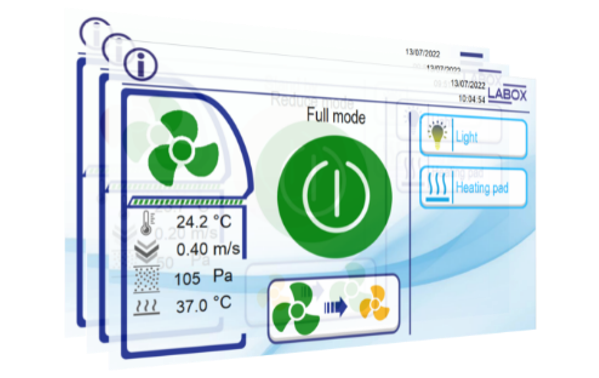
The glove-compatible touchscreen displays workstation status and key operating parameters.
- Control of normal operating and reduced-airflow modes, lighting and installed accessories.
- Continuous monitoring of airflow velocity, HEPA filter pressure drop and temperatures, according to equipment.
- User permissions and operating limit settings.
- Operation from the panel and via the remote interface.
- Reduced-airflow mode is intended for breaks without handling material. Resume work only after returning to normal operating mode and allowing working conditions to stabilise.
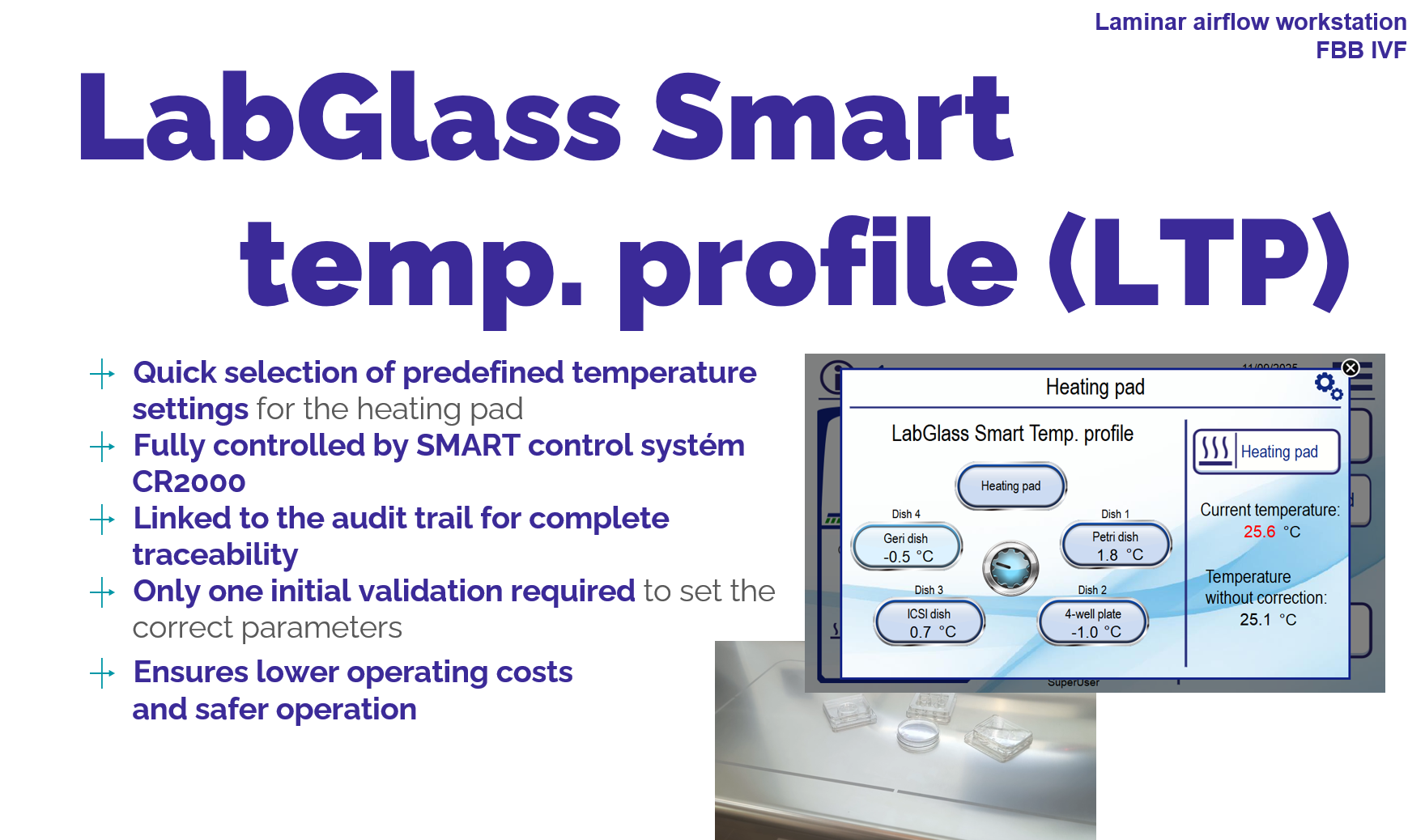
TEMPERATURE PROFILES FOR YOUR LABORATORY DISHES
LabGlass Smart
Temperature Profile (LTP)
Quick selection of preset heated-surface parameters for different laboratory dishes, including plastic dishes, and glassware. The operator selects the appropriate profile without repeatedly entering a temperature correction manually.
- Profiles for the consumables you use, such as Petri dishes, ICSI dishes or four-well plates.
- Control and configuration directly in SMART CR2000.
- Changes recorded in the audit trail for traceable settings.
- Profile parameters are verified during initial validation for the specific labware and workflow.
Feature availability and profile settings depend on the configuration and CR2000 version. Compatibility of existing equipment must be assessed individually.
Ready to work.
On your schedule.
The Central Timer Module (CTM) schedules operation of the workstation and its accessories.
- Scheduling of the fan, heated surface and power sockets.
- Up to four time slots per day.
- Automatic start-up and shutdown according to the schedule.
- Notification before the scheduled end of operation.
The workstation can start before work begins, allowing time for working conditions to stabilise.
Key operating parameters at a glance.
Early warning of deviations.
Continuous monitoring of key parameters helps operators respond to abnormal conditions.
- Airflow velocity, filter pressure drop and temperatures according to equipment.
- Visual and acoustic signals; voice messages for selected events.
- Alert and action limits for the main alarm conditions.
- Email alerts and push notifications when connected to the required network services.
- Operating data export to USB or by email, depending on configuration.
Traceable changes.
Clear records.
The audit trail records important changes to settings, operating events and alarms.
- Changes to temperature setpoints and other parameters.
- User access, including remote connections.
- Alarm and fault conditions.
- Service and qualification due-date notifications.
- Record export to USB or by email, depending on equipment.
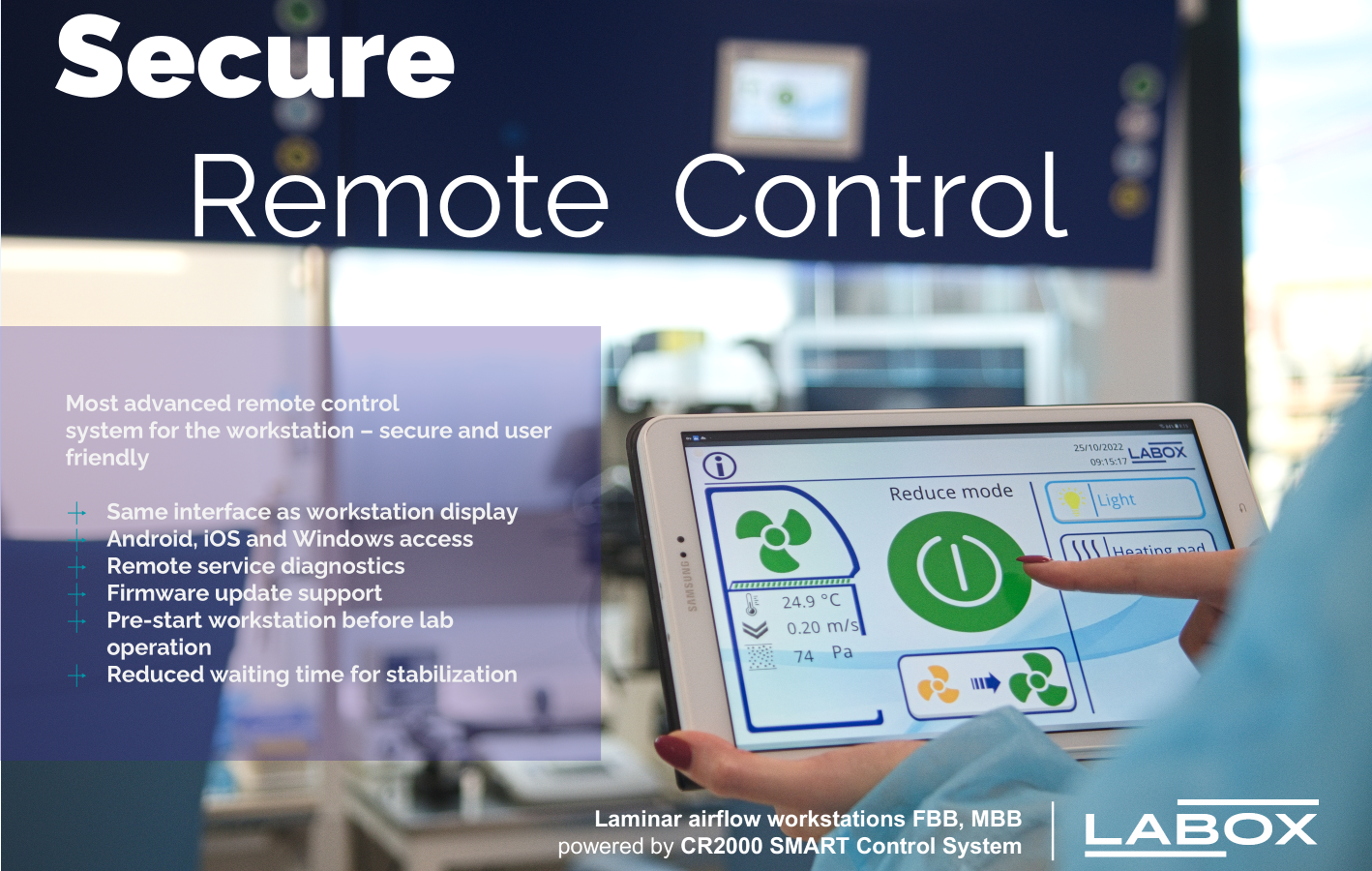
The same interface.
Beyond the workstation panel.
The workstation can be operated and monitored from a computer, tablet or phone via the configured network connection.
- Access from Android, iOS and Windows.
- Remote diagnostics, settings and operator assistance.
- Firmware update support, subject to compatibility of the individual unit.
- Start the workstation in advance to prepare it for use.
Connection methods and access rights are configured to suit your laboratory infrastructure and policies.
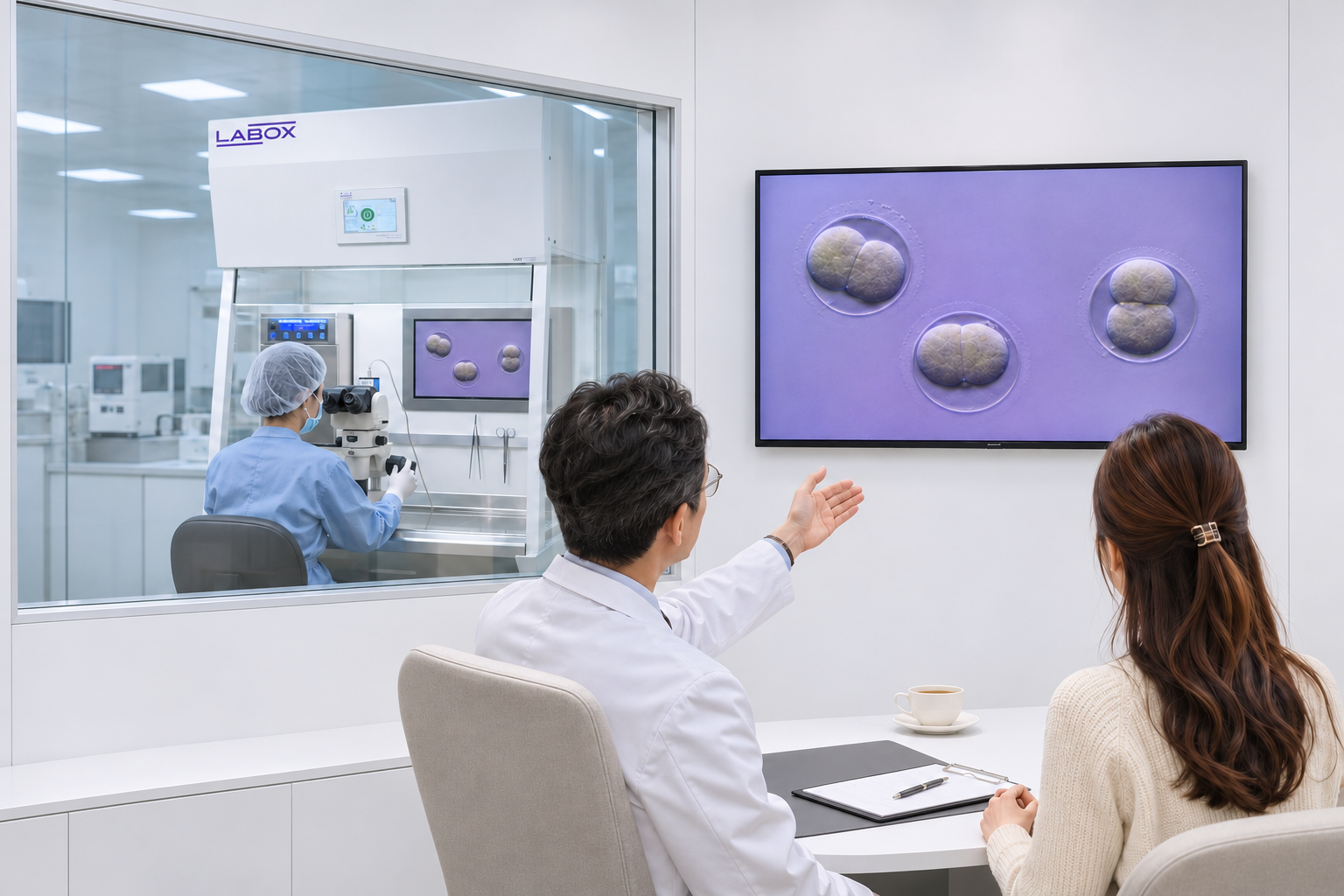
EASYSHARE VIDEO STREAMING
What the embryologist sees,
the patient can see too.
Share the same image the embryologist is viewing on the display integrated into the rear wall of the workstation. The patient remains outside the embryology laboratory.
- Images from a microscope or camera shown on an external display in the consultation room.
- The clinician can explain what is on screen while viewing the same image with the patient.
- Also share images with colleagues or students on the local network.
Image streaming to the local network via RTSP. Image sources, display connections and feature availability are confirmed for the selected configuration.
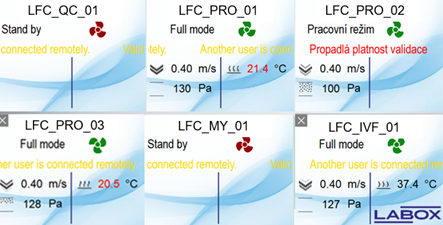
Multiple workstations.
One shared overview.
The optional central monitoring software for Windows can monitor up to 50 CR2000-controlled workstations in one installation.
- Current equipment status, main operating parameters and alarms.
- An individual status bar for each workstation.
- Service and validation due-date notifications.
- Remote connection to a selected workstation using the same interface as its panel.
The operator is informed of a remote connection in the status bar.
CONFIGURED FOR YOUR WORKFLOW
A workstation tailored to you.
We adapt the workstation to your workflow, available space and associated equipment. Popular combinations include a heated surface with a microscope and a Labotect C16 or Selutec TECO 10 CO₂ incubator integrated into the rear wall.
- Electrically height-adjustable stand and ergonomic arm support.
- Integrated display or PC, camera and image sharing.
- Cable management, sockets, shelves and other custom adaptations.
- Dimmable LED lighting and glass side walls.
A CLEAR EQUIPMENT OVERVIEW
Standard equipment and options.
We complement the standard workstation with integrated technologies and accessories to match your workflow.
FBB-IVF standard equipment
- Vertical laminar airflow and HEPA H14 filtration.
- SMART CR2000 touchscreen control system.
- Monitoring of airflow velocity, filter pressure drop and temperature.
- Alarms and traceable audit trail records.
- Dimmable LED lighting.
- Network connection, remote operation and email / push notifications are included as standard.
- Fixed C-frame stand with anti-vibration feet.
- Normal operating and reduced-airflow modes; CTM central timer; front-panel USB connector; residual-current circuit breaker (RCCB).
Optional equipment and custom adaptations
Heating, microscope integration and additional equipment depend on the selected configuration. Accessories can be added to suit your laboratory; availability and compatibility are confirmed in the quotation.
Heated surface prepared for microscope integration
Heated work surface prepared for microscope integration according to the selected configuration and workflow.
Integrated LCD display
LCD display integrated into the rear wall of the work zone for convenient viewing of images and information while working.
Multipurpose shelf
Shelf below the work surface with an integrated 230 V / 50 Hz power strip for equipment storage and organised connections.
Selutec TECO 10 / Labotect C16
Integration of either a Selutec TECO 10 or Labotect C16 CO₂ incubator.
Magnetic holder
Magnetic holder on the rear wall of the work area for organised, easily accessible storage of suitable metal instruments.
VOC sensor
Continuous VOC trend monitoring for early indication of changes in workstation air quality.
Thermal insulation glass for microscopy
Enables comfortable microscope work at laboratory temperature while the surrounding integrated heated surface remains active.
Anti-vibration system integration
A solution to limit vibration transfer to integrated equipment according to the specific application.
Electrically height-adjustable stand
Electrically height-adjustable stand: working height 670–1100 mm, available up to and including FBB-IVF-18.
Camera and image sharing
EasyShare streams images from a USB or IP camera to the local network using RTSP. Share with patients, students and colleagues; camera positioning and connections depend on configuration.
UPS backup power
Optional uninterruptible power supply to help maintain operation during short mains interruptions. Power rating and backup duration are selected to suit the workstation configuration and connected equipment.
Many further modifications and equipment options are available beyond those listed. We will propose a solution to suit your laboratory.

Part of your laboratory monitoring system.
FBB-IVF can be connected to the LBXCON | EMS continuous environmental monitoring system. BMS and other system integration can also be provided through MODBUS, depending on configuration. LBXCON | EMS is currently available only in the Czech Republic and Slovakia.
FBB-IVF UP CLOSE
Explore the workstation.
Selected configurations and equipment details. The final arrangement is tailored to your laboratory.


GMP · ISO 14644
Designed for cleanroom use — inside and out.
Our IVF equipment is designed to meet applicable Good Manufacturing Practice (GMP) requirements and the relevant parts of the ISO 14644 series. We consider the work zone as well as the external construction, materials, cleanability and operating functions. The qualification scope is defined for the specific configuration, installation and intended use.
DETAILS TO SUPPORT YOUR CHOICE
Technical information.
Key parameters
| Work-zone air cleanliness | ISO Class 5 |
|---|---|
| GMP work-zone grade | Grade A, subject to qualification of the specific configuration and operating conditions |
| Filtration | HEPA H14 |
| Airflow velocity in the work zone | 0.40 ± 0.05 m/s |
| Service-adjustable airflow range | 0.20–0.60 m/s |
| Power supply | 230 V / 50 Hz |
| Heated work surface (depending on configuration) | 600 × 290 mm |
Standard dimensions
| Model | External dimensions W × H × D [mm] | Work zone W × H × D [mm] |
|---|---|---|
| FBB-9 IVF | 940 × 1370 × 710 | 915 × 865 × 630 |
| FBB-12 IVF | 1240 × 1370 × 710 | 1215 × 865 × 630 |
| FBB-16 IVF | 1670 × 1370 × 710 | 1645 × 865 × 630 |
| FBB-18 IVF | 1875 × 1370 × 710 | 1850 × 865 × 630 |
| FBB-20 IVF | 2095 × 1370 × 710 | 2070 × 865 × 630 |
Workstation dimensions excluding the stand. Custom designs and the final configuration are confirmed in the quotation.
Qualification, installation and service
Your local LABOX distributor arranges installation, qualification and service. Please contact your distributor to agree commissioning, qualification testing and ongoing support in your country.
Firmware update options depend on the hardware and software version of the individual unit.
For micromanipulators and applications requiring maximum vibration isolation, also consider the FBB-R-IVF workstation →.
LET'S START WITH YOUR LABORATORY
How should your FBB-IVF be configured?
Your local LABOX distributor will assist with equipment selection, installation, qualification and service. Contact your distributor to discuss your requirements and ongoing support.